Route customization is the single highest-leverage decision you can make for a mobile out-of-home event campaign. When your LED billboard vehicle follows a route built around crowd flows, event timing, and geofenced audience clusters rather than the shortest path between two points, you stop paying for impressions nobody sees and start generating exposures that actually move the funnel.
The short version:
- Customized routes concentrate display time at high-footfall nodes (venue entrances, parking structures, transit hubs) where your audience is densest and most receptive.
- Geofencing and time-of-day targeting layer relevance on top of reach, so the right message hits the right crowd at the right moment.
- Proof-of-posting (GPS + timestamped photos) and smart QR codes convert what used to be a subjective “we drove around” deliverable into auditable, client-ready KPIs.
TL;DR: Route customization improves reach per dollar and gives you the attribution data to prove it.
Table of Contents
- Why does route customization improve event advertising outcomes?
- How does route customization actually work on a campaign day?
- How do you build a route-customized event campaign step by step?
- How do you measure success for a route-customized OOH campaign?
- What does route customization cost, and how does it affect ROI?
- What operational and legal checkpoints apply to U.S. event campaigns?
- What does a Beacon-ads route-customized event campaign look like in practice?
- Key Takeaways
- The part most event marketers get wrong about route planning
- Beacon-ads runs route-customized event campaigns across all 50 states
Why does route customization improve event advertising outcomes?
The core problem with a static route is that it optimizes for distance, not audience density. A vehicle that loops the same two-mile circuit regardless of when gates open, when the headliner goes on, or when the post-show crowd floods the parking garage is leaving the most valuable impression windows on the table.
Customized routes fix that by treating placement as a creative decision, not just a logistics one. You build the route around crowd-flow windows and event timing, which concentrates dwell time where it pays off most. Ingress windows (30–90 minutes before doors open) and egress windows (15–45 minutes after the final session) are typically the highest-density moments at any event venue. A route that hits those windows at the right nodes outperforms a standard loop by a wide margin, even with the same vehicle hours.
Operational efficiency compounds the visibility gains. Dynamic route optimization significantly reduces delays and improves on-time performance in dense urban environments, and industry benchmarks cite up to a 30% reduction in delivery delays for high-density urban routing. For a mobile billboard, that translates directly to fewer missed impression windows and less idle time burning vehicle hours with no audience in front of the display.
Route optimization also reduces total kilometers driven by 15–28% compared to manual planning, which cuts fuel and labor cost per effective impression. That efficiency gap is the difference between a campaign that hits its frequency targets and one that runs out of budget two days early.
Static vs. customized routes at a glance:
- Static: Fixed loop, distance-optimized, no adjustment for crowd timing or real-time conditions.
- Customized: Built around event schedule, crowd-flow data, permit windows, and live traffic overlays, with dynamic rerouting when conditions change.
How does route customization actually work on a campaign day?
The inputs come first. Before a single vehicle moves, the campaign team needs the event schedule, venue maps, expected crowd-flow windows, permit windows, vehicle capacity, and display timing constraints. Those inputs feed the route-build, which layers on targeting logic: geofencing around the venue perimeter, affinity and demographic filters matched to the event audience, time-of-day triggers that shift the vehicle’s position as the crowd moves, and smart QR placements timed to peak dwell moments.

The flow looks like this: campaign brief → route build → permit clearance → live execution → proof-of-posting and reporting. On execution day, geofence deviation alerts and live reroute recommendations keep the vehicle on its optimal path even when traffic or event timing shifts. Campaign dashboards can be configured in 24–48 hours to provide live vehicle positions, ETA updates, and geofence alerts.
What to expect on a campaign day:
- Scheduled check-ins at each route waypoint with GPS confirmation.
- Geofence alerts when the vehicle enters or exits a target zone.
- Real-time reroute suggestions if a road closes or crowd flow shifts unexpectedly.
- Timestamped photo captures at key display moments for proof-of-posting.
Route customization is both a creative placement decision and an operational optimization problem. When route choices are driven by crowd flows and event timing rather than distance alone, ad relevance rises because the audience and the message are in the same place at the same time.
Pro Tip: Request a route preview from your provider at least 72 hours before the event. Walking the route on a map against the event schedule catches permit gaps and staging conflicts before they cost you vehicle hours on the day.
How do you build a route-customized event campaign step by step?

A well-run campaign follows a clear timeline. Here is a checklist you can drop directly into your project management tool.
T-8 weeks:
- Define campaign objectives, KPIs, acceptable impression and frequency targets, and budget ceiling.
- Identify high-footfall nodes: venue entrances, parking structures, transit stops, hotel corridors, and competitor-adjacent zones.
- Confirm event schedule, ingress/egress timing, and any venue-specific advertising restrictions.
T-4 weeks:
- Submit municipal permit applications for vehicle staging, parking, and any required traffic-control accommodations.
- Finalize route design with geofence boundaries, time-of-day triggers, and QR placement timing.
- Confirm staging locations and load/unload windows with venue operations.
T-1 week:
- Receive permit confirmations; build backup route if primary staging is restricted.
- Brief drivers on waypoints, check-in schedule, geofence alert protocols, and proof-of-posting procedures.
- Test QR code tracking and confirm dashboard is live.
Event day:
- Pre-launch vehicle inspection and GPS confirmation.
- Execute route per schedule; monitor dashboard for geofence alerts and reroute triggers.
- Capture timestamped photos at each key display node.
Pro Tip: For multi-day events, use the first day’s GPS data to refine waypoint timing on day two. Crowd flows rarely match the pre-event model exactly, and a 15-minute shift in a key waypoint can meaningfully lift frequency at peak moments.
How do you measure success for a route-customized OOH campaign?
Operational transparency changes what OOH can prove. Proof-of-posting and smart QR codes convert previously subjective deliverables into auditable KPIs, and that shift matters when you are defending budget in a post-event debrief.
| KPI | What a strong result looks like | How Beacon-ads captures it |
|---|---|---|
| Modeled impressions | Benchmarked against venue attendance and route coverage | GPS route data + traffic density models |
| Unique reach | Unduplicated audience count across route | Geofence and device-ID matching |
| Frequency | 3 exposures per unique viewer over campaign window | Route replay and waypoint logs |
| QR scan rate | Measurable lift vs. non-event baseline | Smart QR codes with scan analytics |
| Proof-of-posting compliance | 95%+ of scheduled waypoints confirmed | GPS + timestamped photo documentation |
| Retargeting conversion lift | Uplift vs. matched control cohort | Digital retargeting pixel tied to geofence exposure |
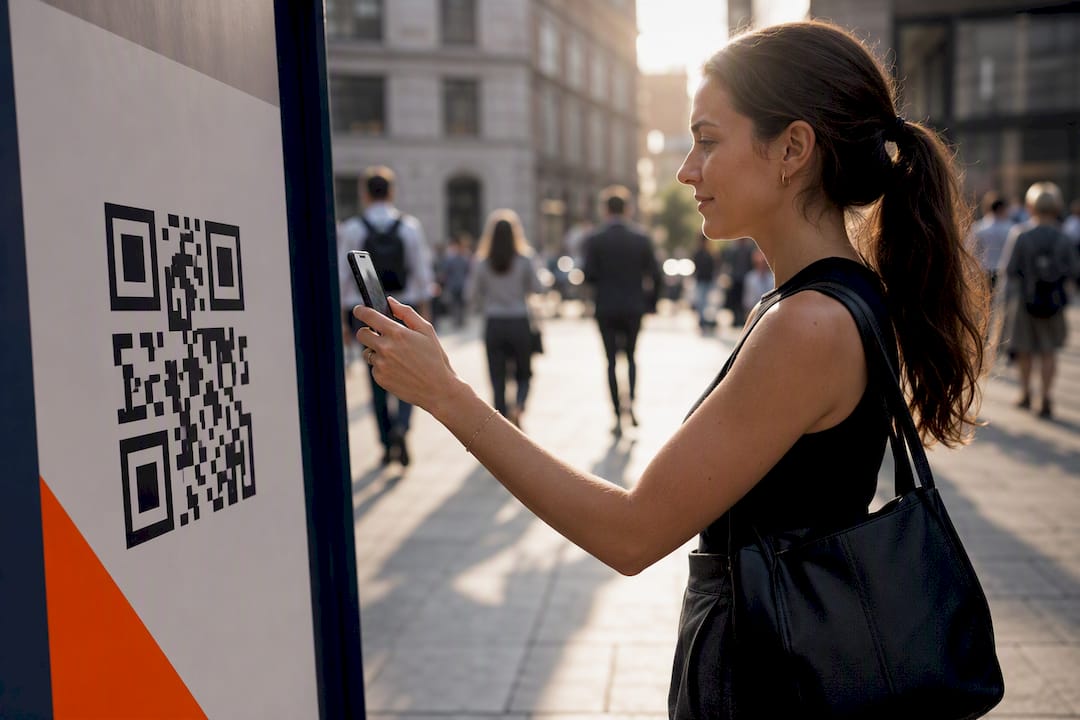
Smart QR codes do double duty: they capture a direct digital signal from a physical exposure and feed retargeting audiences for follow-up display or social ads. That linkage between the billboard and the digital funnel is where campaign analytics become genuinely useful rather than decorative.
What does route customization cost, and how does it affect ROI?
Cost drivers for a route-customized mobile OOH campaign break down into vehicle hours, driver labor, permits and staging fees, routing technology, creative production, and proof-of-posting services. The routing technology and proof-of-posting layers add cost, but they also directly reduce the two biggest sources of waste: empty miles and missed impression windows.
Route optimization cuts kilometers driven by 15–28%, which reduces fuel and labor cost per effective impression. More importantly, it concentrates vehicle time at high-value nodes rather than distributing it evenly across a route that includes low-density stretches. The net effect is a higher quality-impression-per-dollar ratio, which is the number that matters for ROAS.
Key cost and ROI considerations:
- Permit costs vary significantly by municipality; budget for both primary and backup permit applications.
- Staging fees at event venues can be substantial; confirm early and factor them into the route design.
- Advanced routing technology pays off most on campaigns with three or more vehicles, multi-day runs, or events where crowd timing is highly variable.
Pro Tip: For single-vehicle, single-day activations at smaller events, a well-planned static route with strong timing may deliver comparable results at lower tech cost. Invest in dynamic routing when the event is large enough that crowd flows shift materially across the day, or when your KPIs require frequency documentation by zone.
What operational and legal checkpoints apply to U.S. event campaigns?
U.S. municipalities vary widely on what they require for mobile billboard operations, and event venues add their own layer of restrictions on top of local ordinances.
Legal and operational checklist:
- Municipal vehicle advertising permits (requirements differ by city; check the local transportation or public works department).
- Parking and staging permits, including tow-zone clearances near the venue perimeter.
- Local sign and advertising ordinances (some cities restrict LED brightness, display cycle length, or proximity to certain venues).
- Event-specific venue restrictions (many venues prohibit third-party advertising within a defined radius during the event window).
- Traffic-control accommodations if the route crosses controlled intersections during peak crowd movement.
Mitigation steps:
- Apply for permits at least four weeks before the event; six weeks for major metro markets.
- Identify two alternate staging locations in case the primary is restricted or towed.
- Build a permit-ready backup route that avoids the highest-risk restriction zones.
- Include a driver briefing on local ordinance specifics, especially LED display rules and no-go zones.
Verify current requirements directly with the municipal permits office and the event’s operations team. Rules change, and a permit that worked at the same venue last year may have been updated.
What does a Beacon-ads route-customized event campaign look like in practice?
Campaign setup: A consumer brand running a product launch tied to a multi-day outdoor festival used Beacon-ads LED mobile billboards with a fully customized route built around the festival’s ingress and egress windows. Geofencing covered a half-mile radius around the venue, with time-of-day triggers shifting the vehicle’s primary loop from the transit corridor (pre-show) to the parking structure exits (post-show). Smart QR codes were timed to display during the highest-dwell moments at each waypoint.
Execution: Dynamic rerouting was triggered twice on day one when a road closure shifted the post-show crowd flow. Proof-of-posting compliance held at above 95% across both days.
| Metric | Campaign result |
|---|---|
| Proof-of-posting compliance | Above 95% of scheduled waypoints confirmed |
| QR scan volume | Measurable lift vs. pre-event baseline |
| Retargeting audience built | Geofence-exposed device IDs passed to digital retargeting |
| Conversion lift | Uplift confirmed vs. matched non-exposed cohort |
Pro Tip: After the event, pull the GPS route replay and compare actual waypoint timing against the planned schedule. The gaps between planned and actual dwell time at each node are your optimization brief for the next activation.
Key Takeaways
Route customization converts mobile OOH from a presence tactic into a precision event advertising tool, with measurable reach, documented compliance, and a direct link to digital attribution.
| Point | Details |
|---|---|
| Use route customization for events | Crowd-flow-driven routes concentrate impressions at high-value ingress and egress windows. |
| Dynamic routing cuts waste | Industry benchmarks show up to 30% fewer delays and 15–28% fewer kilometers driven vs. manual planning. |
| Proof-of-posting is your audit trail | GPS and timestamped photos confirm compliance and give clients auditable KPIs. |
| QR codes close the attribution loop | Smart QR scans tie physical exposures to digital retargeting and funnel metrics. |
| Beacon-ads delivers end-to-end | Beacon-ads combines route customization, geofencing, smart QR codes, and attribution analytics for data-driven event campaigns. |
The part most event marketers get wrong about route planning
Most teams treat the route as a logistics afterthought, something to hand off to the driver once the creative is approved. The result is a vehicle that covers ground efficiently but misses the moments that actually matter: the 20 minutes before doors open when 4,000 people are standing in line with nothing to look at except your billboard, or the post-show window when the crowd is relaxed, phones are out, and QR scan rates spike.
The smarter frame is to treat the route as media inventory. Every waypoint is a placement decision. Every timing window is a targeting parameter. When you approach it that way, the route becomes the most controllable variable in the entire campaign, and the one with the highest leverage on cost per effective impression.
The step-by-step event advertising guide from Beacon-ads is worth keeping in your planning toolkit, not because it replaces judgment, but because it forces the timing and permit questions to the surface early, before they become day-of problems.
Beacon-ads runs route-customized event campaigns across all 50 states
If you are planning a mobile OOH activation around an event and need a partner who handles route design, permitting, geofencing, proof-of-posting, and attribution reporting under one contract, Beacon-ads is built for exactly that.

Beacon-ads operates LED mobile billboards and wrapped rideshare vehicles nationwide, with route customization, smart QR codes, and GPS-verified proof-of-posting included as standard campaign components, not add-ons. You get a documented, auditable campaign with digital attribution built in from day one.
- Measurable reach: Modeled impressions backed by GPS route data, geofence logs, and proof-of-posting compliance reports.
- Improved ROAS: Optimized routes reduce wasted vehicle hours and concentrate display time at the highest-value event touchpoints.
Ready to plan your next event campaign? Explore Beacon-ads event advertising or review the full OOH format options to find the right vehicle mix for your activation.