Size your QR code by dividing the farthest realistic scan distance by 10. That’s the width, in the same units, your code needs to be.
TL;DR:
- The minimum QR code width should be one-tenth of the expected scan distance, with a practical minimum of 1 inch per 10 feet for outdoor settings.
- Larger codes are necessary at longer distances, especially for highway billboard scans, where small sizes often make QR codes unscannable in practice.
- Pedestrian placements offer the best chances for scans with 5 to 15 seconds of viewer attention, while highway and fast-traffic locations typically provide insufficient exposure time for reliable scanning.
- Proper design requires export as a vector file, maintaining a quiet zone, high contrast, and using ECC levels Q or H; testing should involve real-world scans on multiple devices.
- Accurate sizing and testing are critical; agencies that embed placement-specific sizing, on-site proofing, and dynamic URLs improve scan reliability and attribution success.
Table of Contents
- What Determines the Right QR Code Size for a Billboard?
- How Big Should a QR Code Be by Viewing Distance and Format?
- Which Billboard Placements Actually Work for QR Codes?
- How to Design and Print a QR Code That Actually Scans
- How Do You Test a Billboard QR Code Before It Goes Live?
- What Most Agencies Get Wrong About Billboard QR Sizing
- Get QR-Ready Billboard Campaigns Built and Tested by Beacon-ads
- Sources
What Determines the Right QR Code Size for a Billboard?
The 10:1 distance-to-size ratio is the backbone of every legitimate sizing recommendation in outdoor advertising, and it’s simpler than most creative briefs make it sound. Divide the expected scan distance by 10, and that’s your minimum QR width. Standing at a moderate viewing distance from a poster, you need a code sized roughly to one-tenth of that distance as a minimum, according to DELivr’s printing guidelines. The same source pegs 50 meters as the rough ceiling where in-traffic scanning stops being realistic altogether.
The shorthand version, used across most out-of-home playbooks, is even easier to remember: about 1 centimeter of QR code per 10 centimeters of viewing distance, or roughly 1 inch per 10 feet, per QRCodeKIT’s OOH sizing guide. Treat that as a floor, not a target.
Under the hood, the rule is really about module projection, the physical size of each tiny black square once printed. Field-tested guidance from EZQR suggests aiming for about 1 millimeter of module size per meter of scan distance for a casual, stationary scan, and closer to 1.5 millimeters per meter when the viewer is moving or scanning quickly. A few things push that number higher:
- More data in the code (a long tracking URL versus a short redirect) means more modules, and more modules packed into the same footprint shrink each one.
- A higher error correction level (ECC) adds redundant data, which also adds modules and demands a bigger code at the same distance.
- Poor lighting, glare, or a busy background effectively increases the “working distance” a scanner needs, so upsizing beyond the bare minimum is cheap insurance.
How Big Should a QR Code Be by Viewing Distance and Format?
Once you know the distance-to-size math, the real question becomes practical: what does that look like on the formats you’re actually buying? The table below translates the ratio into usable numbers for common OOH placements, drawing on sizing benchmarks from EZQR’s billboard QR analysis.

A few things jump out once you see the numbers laid side by side. QR codes work well at shorter distances but require very large sizes at longer distances, which can overwhelm the design.
At highway billboard distances, short printed URLs generally outperform QR codes in terms of scannability and design. On contrast and error correction: use ECC level Q or H for any outdoor placement, since both tolerate dirt, glare, and partial obstruction far better than the default level L, and stick with dark modules on a light, uncluttered background at every distance in this table.
Which Billboard Placements Actually Work for QR Codes?
Not every board is a good QR candidate, and pretending otherwise wastes design time and ad spend. The deciding factor isn’t the format, it’s how long a real person actually looks at it.
- Pedestrian and stationary placements (transit shelters, storefronts, elevator panels, event signage) give viewers 5 to 15 seconds or more, plenty of time to raise a phone and scan. These convert well and deserve a prominent QR code.
- Highway and fast-traffic bulletins typically offer drivers a 2 to 4 second window of actual attention, according to EZQR’s field audits, which found that A large majority of freeway QR codes are non-scannable in practice because of brief exposure time, distance, and driver attention factors. Treat these as awareness placements and print the short URL as the primary call to action instead.
- DOOH and LED billboard screens add a layer highway paper posters don’t have: pixel pitch. A coarse pixel pitch limits how cleanly a QR’s fine modules render, and Uqr notes that a coarse pitch may require sizing the code up further or abandoning the QR approach for that screen entirely.
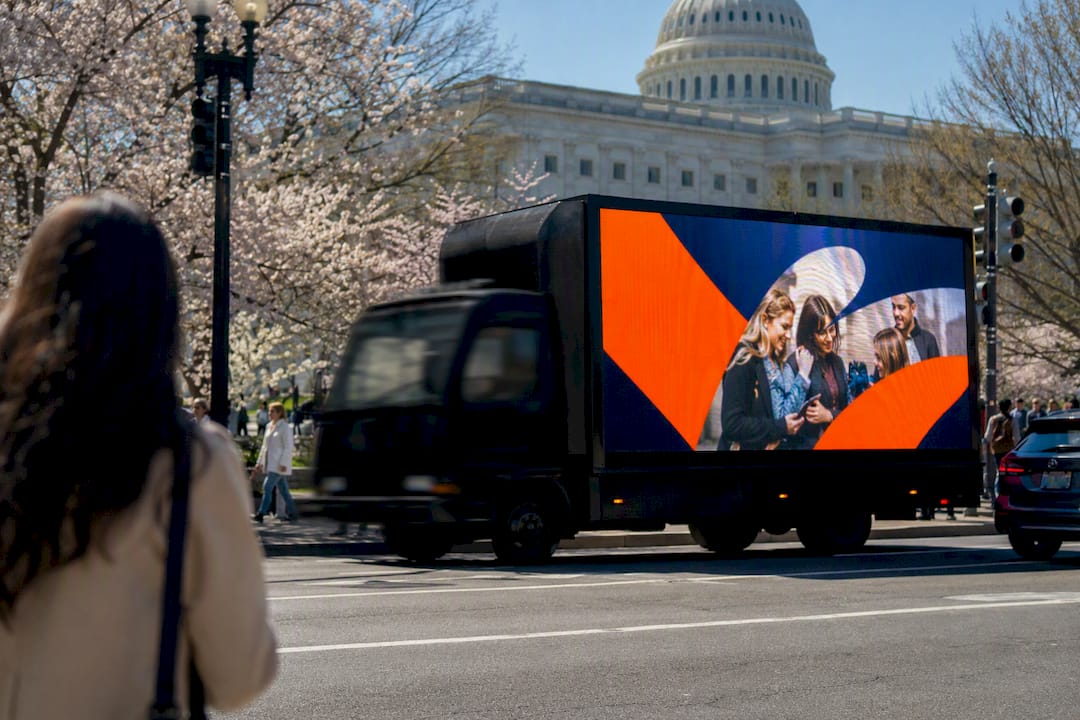
Mobile billboards and wrapped rideshare vehicles sit in a useful middle ground: stopped at a light or crawling through downtown traffic, exposure time climbs well past the freeway average, which is exactly why route and dwell-time planning matters as much as code size.
How to Design and Print a QR Code That Actually Scans
Get the size right and then get the production details wrong, and you’ve wasted the effort anyway. A short technical checklist keeps that from happening:
- Export as vector, not raster. SVG files scale losslessly to billboard dimensions; a raster image stretched to several feet wide often develops fuzzy module edges that break decoders, per uQR.ai’s print guidance.
- Protect the quiet zone. Leave a clean, unobstructed border of at least four modules around the code on every side. Crowding it with logos or copy is one of the most common causes of failed scans.
- Choose contrast deliberately. Dark modules on a light background, no gradients, no photographic textures behind the code, and a matte print finish to cut sunlight glare, following Pageloot’s design recommendations.
- Set ECC to Q or H. Outdoor conditions (dirt, weather, partial shadow) demand the redundancy these higher correction levels provide.
- Print the short URL beneath the code, sized for the same viewing distance as the QR itself, so drivers or pedestrians who can’t scan still get the message.
- Place your call to action close to the QR code so viewers associate the two. QR codes without contextual call-to-action nearby are often ignored, according to Pageloot’s CTA research, and a short line like “Scan for 20% off” does more work than the code alone. Beacon-ads covers this exact pairing in its guide to outdoor QR engagement.
A code that looks fine on a laptop screen can fail completely once it’s stretched across 20 feet of vinyl.*
How Do You Test a Billboard QR Code Before It Goes Live?
Every QR code deserves a real-world dry run before it goes on a board, not just a scan test at your desk. Here’s the sequence that catches problems before they cost you a print run:
- Print a full-scale proof and scan it from the farthest realistic viewing point, not from arm’s length.
- Test with at least three different phone models and camera apps, since scanning sensitivity varies more than people expect.
- Check it in daylight and after dark, since backlighting and streetlight glare behave differently than studio lighting.
- Load the destination URL on a throttled or slow connection to confirm it resolves quickly, ideally under three seconds, a benchmark QRCodeKIT recommends for any OOH landing page.
- Confirm the code is dynamic, meaning it resolves through a redirect you control, so the destination can be updated without reprinting the board.
- Assign a unique code or UTM parameter per placement, and log proof-of-posting photos with GPS coordinates for later attribution audits, per QRCodeKIT’s operational proofing guidance.
To measure module projection directly, hold a ruler against the printed proof and confirm each module meets the roughly 1 millimeter per meter of scan distance target described earlier. If it falls short, upsize before printing the final run, not after.
What Most Agencies Get Wrong About Billboard QR Sizing

The pattern shows up constantly in board layouts: a QR code sized for the file, not the freeway. Someone builds the artwork at desk-viewing scale, drops it into a template, and nobody checks what a 3 inch code looks like from 60 feet away. These failures are common and backed by field audits.
Beacon Mobile Media builds sizing into route and placement planning from the start, factoring in the specific board, distance, and traffic speed for each location before a design ever gets approved. Codes get proofed on-site, tracked as dynamic and unique per placement, and tied back to attribution reporting so a scan actually means something measurable. If you want to see what that looks like for your own layout, ask about a sample on-site scan report before your next print run.
— Scott
Get QR-Ready Billboard Campaigns Built and Tested by Beacon-ads
Beacon-ads is the direct alternative to guessing at QR size and hoping it scans: every code we deploy gets sized to the actual placement distance, proofed on-site, and tracked back to a real conversion, not just printed and hoped for.

Our mobile billboards, LED trucks, and wrapped rideshare vehicles come with smart QR integration built in from the planning stage, not bolted on after the creative is finalized. That means geofencing and retargeting layered on top of every scan, proof-of-posting documentation with GPS timestamps, and attribution reporting that tells you which placement actually drove the click, not just a vague impression count. We handle the sizing math, the on-site distance test, and the dynamic code setup, so what goes on the truck is what actually works from the sidewalk or the freeway shoulder.
Check out our full breakdown of out-of-home advertising formats to see which placement fits your campaign, then reach out to get a sizing and scan plan built around your specific routes and audience.
Sources
- QR code printing guidelines — DELivr
- QR code on out-of-home advertising: a playbook — QRCodeKIT
- Uqr
- QR code call-to-actions for billboards — Pageloot