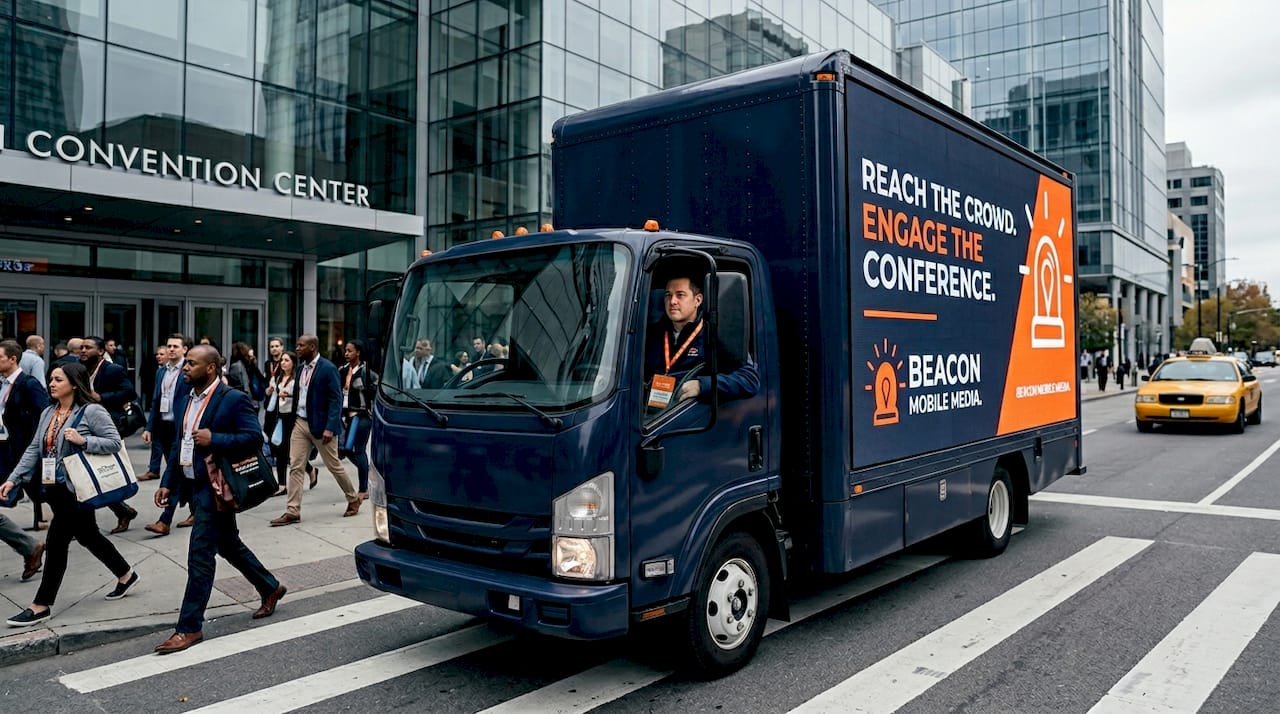
A complete mobile OOH lead-generation pipeline runs from a precise Ideal Customer Profile through Beacon Mobile Media’s smart QR capture and proof-of-posting to marketing automation follow-up and a qualified sales handoff. Here’s the system at a glance:
- Step 0: Define goals and ICP
- Step 1: Design a named offer and landing page
- Step 2: Set up capture mechanics (QR, UTM, pixel)
- Step 3: Plan routes and geofences
- Step 4: Activate retargeting and follow-up automation
- Step 5: Qualify leads and hand off to sales
- Step 6: Launch, verify proof-of-posting, and optimize
Companies using marketing automation in structured, multi-channel campaigns consistently produce more qualified leads than teams running ad-hoc tactics. A system beats improvisation every time.
Table of Contents
- What does a step by step lead generation playbook look like for mobile OOH?
- Which tools and tactics make mobile OOH campaigns capture-ready?
- How do you measure and attribute leads from a mobile OOH campaign?
- What timeline and budget should you plan for a mobile OOH lead campaign?
- What mistakes kill mobile OOH lead campaigns before they start?
- Which KPIs should be in your mobile OOH campaign dashboard?
- How does Beacon Mobile Media run an integrated mobile OOH lead campaign?
- Key Takeaways
- Why the follow-up speed problem matters more than the creative
- Beacon-ads can run your first integrated mobile OOH campaign
- Useful sources and tools for each campaign phase
What does a step by step lead generation playbook look like for mobile OOH?
The goal is a repeatable process where every phase has an owner, a deliverable, and a handoff point. Here’s how to build it.
Step 0: Define goals and your ICP
Start with a written ICP scorecard: company size, industry vertical, decision-maker title, geographic territory, and the trigger event that makes them need you now. Vague targeting is the single most common reason B2B campaigns fail before the first truck rolls. The ICP owner is the marketing lead; the deliverable is a one-page scorecard signed off by sales before any route planning begins.
Step 1: Design a named offer and landing page
A named offer is specific. “Request a 20-minute OOH strategy session” outperforms “Contact us” because it sets an expectation and filters intent. The landing page should have one goal, one form (name and work email only), and load in under three seconds on mobile. No navigation menu. No competing CTAs.

Step 2: Select your capture mechanics
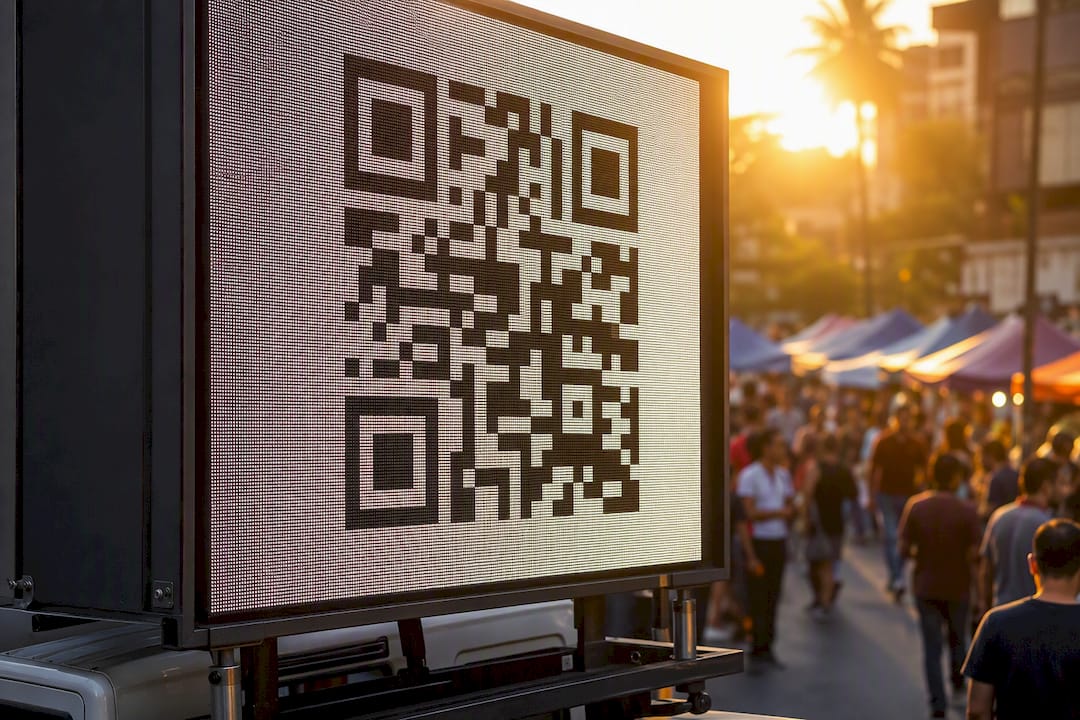
Smart QR codes on the billboard or rideshare wrap feed scan data directly into your CRM. Pair each QR with a short URL, a UTM string (source/medium/campaign/content), and a pixel on the landing page. SMS keywords work well for high-traffic events where scanning is inconvenient. Every capture path needs a test scan before the route goes live.
Step 3: Route planning and geofencing
Map your OOH routes to where your ICP actually spends time: office corridors, convention centers, airport pickup zones, stadium lots. Deliverables here are a route file and a set of geofence IDs loaded into your ad platform. The geofence radius should match realistic dwell time to best capture attendees while excluding passing commuters.

Step 4: Retargeting and follow-up automation
Once the pixel fires or a QR scan lands in your CRM, the retargeting window opens. Sync your audience to your ad platform within 24 hours of campaign launch. Set a retargeting window aligned with your sales cycle duration. The first automated email should fire shortly after a form submission. CRM-to-email automation that maps journey stage to message content keeps nurture sequences relevant rather than generic.
Step 5: Lead qualification and sales handoff
Score leads on two dimensions: fit (ICP match) and behavior (pricing-page visits, QR scans, email opens). When a lead crosses your MQL threshold, a rep gets notified immediately. Write a simple service-level agreement: every MQL gets a first human touch within two hours and five follow-up attempts over 14 days. The handoff template should include lead source, scan/click history, and the named offer they responded to.
Step 6: Pre-launch test, launch, and proof-of-posting
Run a full QA pass 48 hours before launch: scan every QR, click every short URL, confirm pixel firing in your tag manager, and verify geofence IDs are active. On launch day, confirm GPS tracking and timestamped photo proof-of-posting are live before the route starts. Proof-of-posting is your verification layer, not an afterthought.
| Phase | Owner | Deliverable |
|---|---|---|
| ICP scorecard | Marketing lead | Signed one-page ICP |
| Named offer + landing page | Content/web team | Live URL, pixel confirmed |
| Capture mechanics | Marketing ops | QR, UTM, pixel, short URL |
| Route + geofence | OOH partner | Route file, geofence IDs |
| Retargeting + automation | Marketing ops | Audience sync, email sequence |
| Qualification + handoff | Sales + marketing | SLA doc, scoring rules |
| Proof-of-posting | OOH partner | GPS log, timestamped photos |
Pro Tip: Scan your QR code from a moving car at 25 mph before launch. If it resolves cleanly, it will work on a billboard truck. If it doesn’t, resize the code or simplify the URL.
Which tools and tactics make mobile OOH campaigns capture-ready?
Four categories cover the minimum viable stack: capture tools, routing and geotargeting, retargeting, and analytics.
- Smart QR providers: Use dynamic QR codes that let you change the destination URL post-print. Static QR codes are a liability on a vehicle wrap you can’t reprint mid-campaign. The QR code engagement guide covers sizing and contrast rules for outdoor visibility.
- Short-link managers: Bitly or a branded short domain (yourco.co/offer) for clean UTM tracking and click analytics.
- Mobile landing builders: Unbounce or a lightweight CMS page built for sub-3-second mobile load times.
- Tag managers: Google Tag Manager for pixel deployment without developer dependency.
- CRM and marketing automation: HubSpot, Salesforce, or Marketo for lead ingestion, scoring, and nurture sequencing.
- Proof-of-posting integration: GPS and timestamped photo logs from your OOH partner feed directly into campaign reporting. This is non-optional for any spend you need to justify.
For rideshare wrap campaigns, the impression happens at close range and low speed. QR codes placed on rear windows convert better than roof or door placements because passengers in trailing vehicles have dwell time. For LED billboard trucks, place the QR on the side panel with a short URL as backup for anyone who can’t scan in time.
How do you measure and attribute leads from a mobile OOH campaign?
Primary outcomes to track: lead volume, lead quality rate, cost per lead (CPL), and pipeline contribution. Multi-touch attribution matters here because a prospect might see your truck, scan a QR three days later, and convert after a retargeting ad. Crediting only the last click misrepresents what drove the pipeline.
| Metric | Definition | Where it lives |
|---|---|---|
| Impressions | Estimated route exposures | OOH partner report |
| QR scan rate | Scans ÷ estimated impressions | QR platform + UTM |
| Landing-page conversion rate | Form submits ÷ page visits | Analytics platform |
| Qualified lead rate | MQLs ÷ total leads | CRM |
| Cost per lead (CPL) | Total spend ÷ total leads | Finance + CRM |
| Time to first response | Minutes from MQL to first human touch | CRM SLA report |
| Pipeline contribution | Revenue influenced by OOH-sourced leads | CRM opportunity data |
For attribution, use UTM plus short-link click data as your primary source. Layer pixel-based retargeting attribution to capture leads who didn’t scan but did convert after seeing a retargeting ad. A weighted multi-touch model distributes credit across the truck impression, the QR scan, and the retargeting click. Use first-touch when you want to understand what drove awareness; use weighted when you’re optimizing budget allocation.
Reconcile offline proof (GPS route logs, timestamped photos) with online conversions by matching route dates and geofence cohorts to conversion timestamps. A lead who converts within 30 days of a route pass in their zip code is a reasonable OOH attribution. Campaign reporting should surface proof-of-posting, funnel conversion rates, CPL, and pipeline value in one dashboard view.
What timeline and budget should you plan for a mobile OOH lead campaign?
A practical pilot runs across five phases. Plan and build take roughly two weeks combined. Testing and QA need two to three days. The active run is typically two to four weeks. Optimization and reporting follow immediately after.
- Weeks 1–2: ICP finalized, offer built, landing page live, capture mechanics tested
- Days 13–15: Full QA pass, geofences loaded, proof-of-posting confirmed
- Weeks 3–6: Active route, retargeting running, automation live
- Week 7+: First optimization review; adjust routes, creative, or audience filters based on CPL and scan data
Primary cost drivers for mobile OOH campaigns:
- Route density and market: High-traffic urban markets cost more per route day than suburban corridors.
- Impressions vs. engagements: Paying for verified engagements (scans, clicks) costs more upfront but produces cleaner data.
- Creative complexity: A single static wrap is cheaper than a dynamic LED display with multiple creative rotations.
- Retargeting window: Longer windows mean larger audience pools and higher ad spend.
- Data integrations: CRM sync, pixel setup, and custom reporting add to the total cost but are recoverable through better optimization.
For a measurable pilot, budget enough for at least two weeks of active routing in one market, a retargeting spend that reaches your audience pool at least three times, and the analytics setup to capture the data. Optional add-ons that meaningfully change outcomes: geofencing around competitor locations, affinity audience filters, and conference or trade show targeting tied to event schedules.
What mistakes kill mobile OOH lead campaigns before they start?
Most campaign failures trace back to three execution gaps: a broken capture path, no SLA for follow-up, and an ICP that was never written down. The pre-launch checklist below closes all three.
Pre-launch QA checklist:
- Scan QR code from 10 feet and from a moving vehicle
- Click short URL on both iOS and Android
- Submit the landing-page form and confirm the lead appears in CRM within two minutes
- Verify pixel firing in Google Tag Manager’s preview mode
- Confirm geofence IDs are active in your ad platform
- Check UTM parameters populate correctly in analytics
- Confirm proof-of-posting (GPS tracking and photo log) is active before route start
- Verify the SLA notification fires when a lead hits MQL threshold
Red flags to fix before launch:
- No proof-of-posting confirmation from your OOH partner
- SLA for first human touch longer than four hours
- UTMs missing campaign or content parameters
- Landing page loads in more than four seconds on a 4G connection
Go/no-go criteria: Every item on the QA checklist passes. SLA is in writing. At least one test lead has flowed end-to-end from QR scan to CRM record to sales notification. The digital advertising checklist covers additional readiness criteria worth reviewing before any campaign goes live.
Which KPIs should be in your mobile OOH campaign dashboard?
Eight KPIs cover the full funnel for a mobile OOH lead campaign. Review the first four daily during active routing; review all eight weekly.
- QR scan rate: Scans ÷ estimated impressions. Target: above 0.5% for a moving vehicle.
- Landing-page conversion rate: Form submits ÷ page visits. Target: 20–35% for a single-offer page.
- Lead-to-MQL rate: MQLs ÷ total leads. Target: 30–50% depending on ICP tightness.
- Time to first response: Minutes from MQL to first human touch. Target: under 60 minutes.
- CPL: Total campaign spend ÷ total leads. Track weekly and compare to channel benchmarks.
- MQL-to-SQL rate: Sales-accepted leads ÷ MQLs. A drop here signals a qualification mismatch.
- Pipeline contribution: Dollar value of opportunities sourced from OOH leads.
- Proof-of-posting compliance rate: Routes with verified GPS and photo logs ÷ total routes scheduled.
Weekly review: pull all eight KPIs, identify the biggest drop-off point in the funnel, and make one change. If scan rate is low, adjust QR size or creative contrast. If landing-page conversion is low, shorten the form or sharpen the offer headline. If time to first response is over 60 minutes, fix the SLA notification before anything else.
How does Beacon Mobile Media run an integrated mobile OOH lead campaign?
Beacon Mobile Media delivers the full stack: LED billboard trucks and rideshare wraps on custom routes, smart QR codes tied to your CRM, geofencing and real-time retargeting, and GPS plus timestamped photo proof-of-posting for every route.
A standard integrated campaign flows through six phases:
- Build: Route file created, geofences loaded, smart QR codes generated and linked to landing page
- Deploy: Trucks and rideshare wraps activated; GPS tracking confirmed live
- Capture: QR scans and pixel fires populate CRM in real time
- Sync: Audience data syncs to ad platform; retargeting cohorts built from route geography
- Retarget: Digital ads serve to everyone who entered the geofence or scanned during the route window
- Qualify: Leads scored by behavior; MQLs routed to sales with full source history
Proof-of-posting documentation, including GPS route logs and timestamped photos, is delivered with every campaign. Attribution dashboards show QR scan volume, landing-page conversions, retargeting reach, and pipeline contribution in one report. Beacon Mobile Media operates across all 50 states, making it practical to run coordinated multi-market pilots from a single campaign order. For a deeper look at how digital OOH retargeting works in practice, the linked resource covers the technical flow from impression to conversion.
Key Takeaways
A mobile OOH lead campaign only works when every phase has an owner, a deliverable, and a verified handoff to the next step.
| Point | Details |
|---|---|
| ICP first, always | Write a signed ICP scorecard before route planning; vague targeting is the top reason campaigns fail. |
| Named offer over generic CTA | Specific offers like a 20-minute strategy session filter intent and protect sales time. |
| Verify every capture path | Scan QR codes from a moving vehicle and confirm leads flow to CRM before launch day. |
| Proof-of-posting is required | GPS logs and timestamped photos are the verification layer that justifies OOH spend. |
| Beacon-ads delivers the full stack | Beacon Mobile Media combines routes, smart QR capture, retargeting, and attribution reporting across all 50 states. |
Why the follow-up speed problem matters more than the creative
Many mobile OOH campaigns spend most of their planning time on creative and route selection, but lose the leads they generate because nobody defined who follows up and when. The creative gets a prospect to scan. The offer gets them to submit a form. But if the first human touch takes 24 hours, the lead has already talked to someone else.
The outbound-plus-inbound flywheel works because outbound fills the top of the funnel fast while inbound compounds over time. Mobile OOH is outbound at its most physical. It intercepts people in the real world and drives them into a digital funnel. That handoff from physical impression to digital capture to human follow-up is where the money is made or lost.
Three things that consistently separate campaigns that produce pipeline from campaigns that produce a list of cold contacts: a written SLA with teeth, behavioral triggers that notify sales before a lead goes cold, and a qualification process that protects sales time rather than flooding the calendar with unvetted names. The revenue engine model centralizes data and runs outbound and inbound in parallel. Mobile OOH fits perfectly into that model when the digital layer is built correctly.
Beacon-ads can run your first integrated mobile OOH campaign
Beacon Mobile Media builds and executes integrated mobile OOH lead campaigns with smart QR capture, geofencing, real-time retargeting, and GPS-verified proof-of-posting, across all 50 states.

If you’re ready to move from planning to pipeline, the OOH advertising types guide is a practical starting point for understanding which format fits your market and budget. To discuss a pilot campaign or request a campaign estimate, visit beacon-ads.com and connect with the team directly. Case study packages and campaign credentials are available on request.
Useful sources and tools for each campaign phase
The resources below are grouped by campaign phase so you can go deeper on the pieces most relevant to your next campaign.
Plan and ICP:
- Lead generation process and strategy — multi-channel frameworks and automation guidance
- Build a lead generation system from scratch — ICP-first methodology
Capture and QR:
- Smart QR codes for campaigns — dynamic QR setup and CRM integration
- Mobile lead generation guide — capture tactics and tech integrations
Retarget and automate:
- Step-by-step ad retargeting — retargeting playbook for OOH activation
- Digital targeting tips for marketers — geofencing and audience filter guidance
Measure and report:
- Precise reporting for ad campaigns — dashboard fields, proof-of-posting, and KPI templates
- OOH lead generation guide — OOH-specific timelines and measurement benchmarks